
Scan It.
Know It.
Move It.
Scan QR codes instantly to identify items, record movements, verify entries, and keep every transaction connected in real time.

9:41


Entry & Access Gaps
Manual Visitor Registers
Unsecured Entry Points
No Real-Time Access Visibility
Disconnected Access Records
Response & Risk
Delayed Security Decisions
No Real-Time Alerts
Unidentified Security Risks
Siloed Security Operations
Verification Failures
Slow Visitor Processing
Unverified Access
Contractor Oversight
ID Impersonation
Tracking & Compliance
Vehicle Tracking Gaps
Multiple Entry Points
No Audit Trail
Manual Log Loss
Your Business Has More Than One QR Problem.
QR Is Not Just a Code.
It Is the Digital Gateway to Every Record, Workflow & Business Process.



Your QR. Your Brand.
Your Rules.
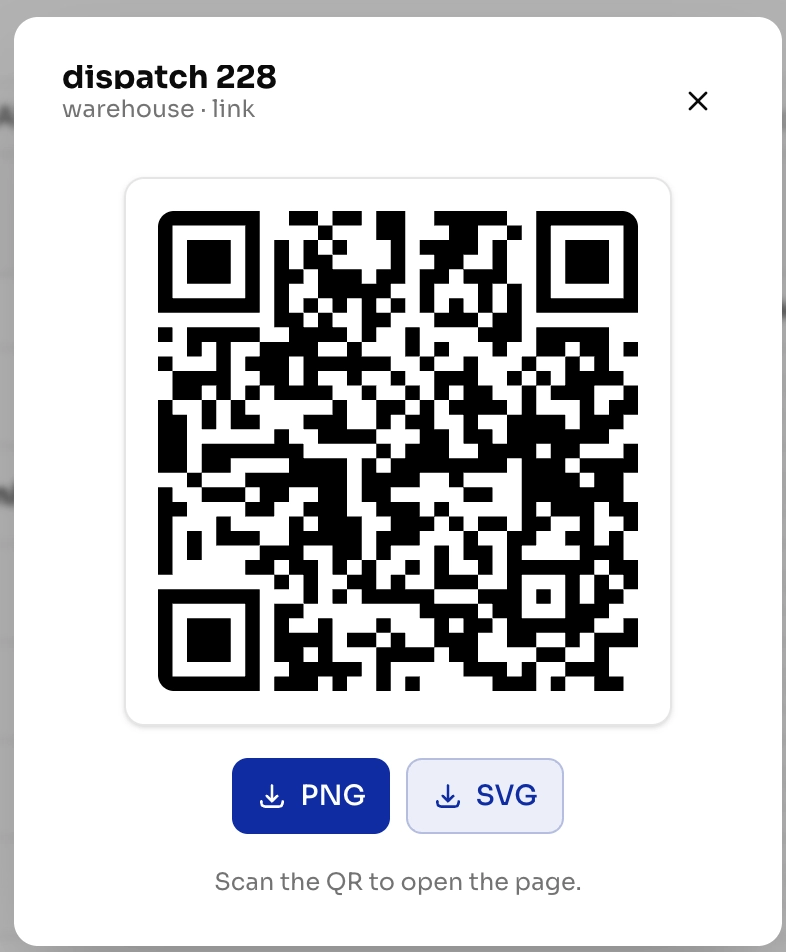
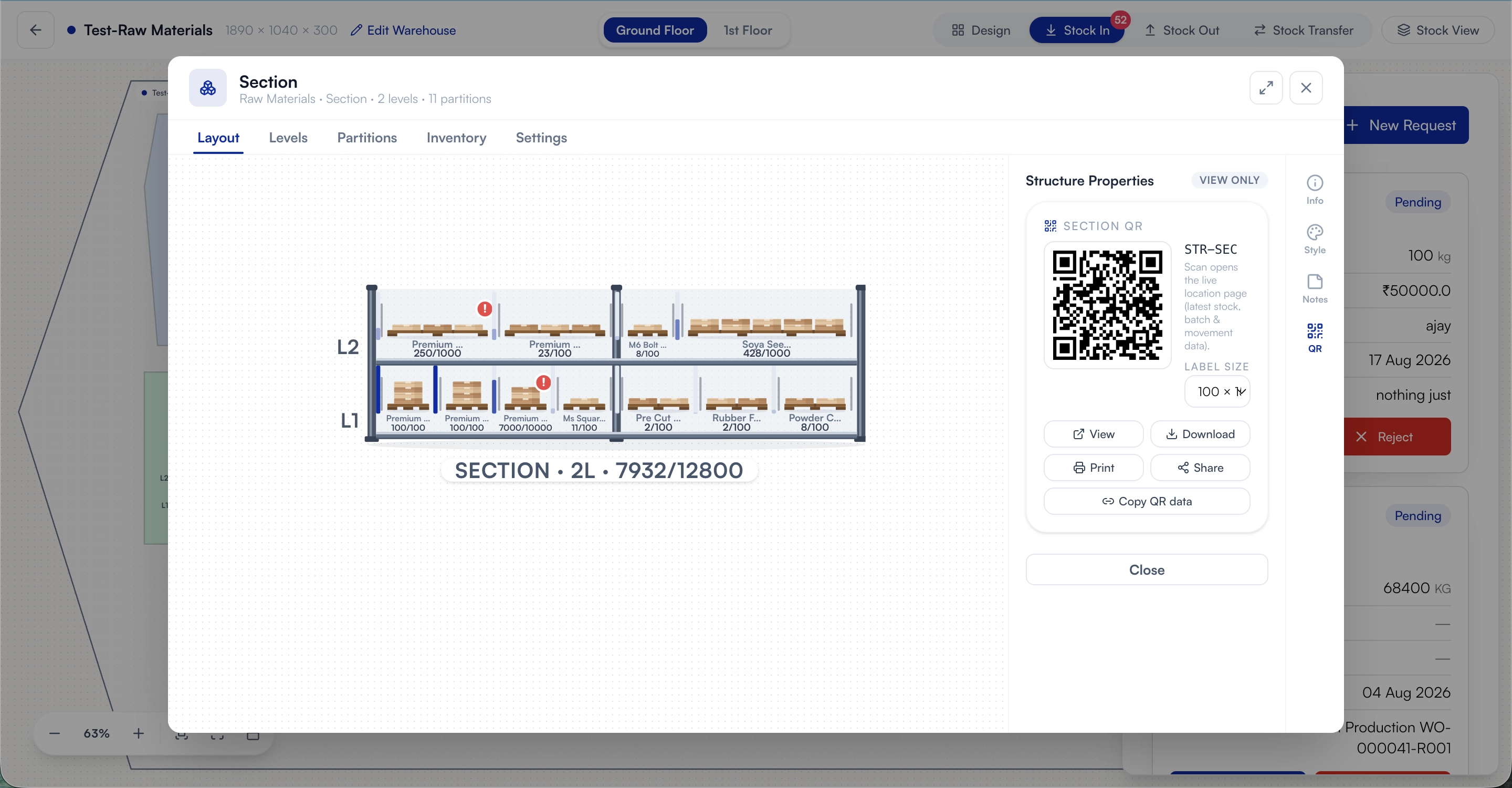
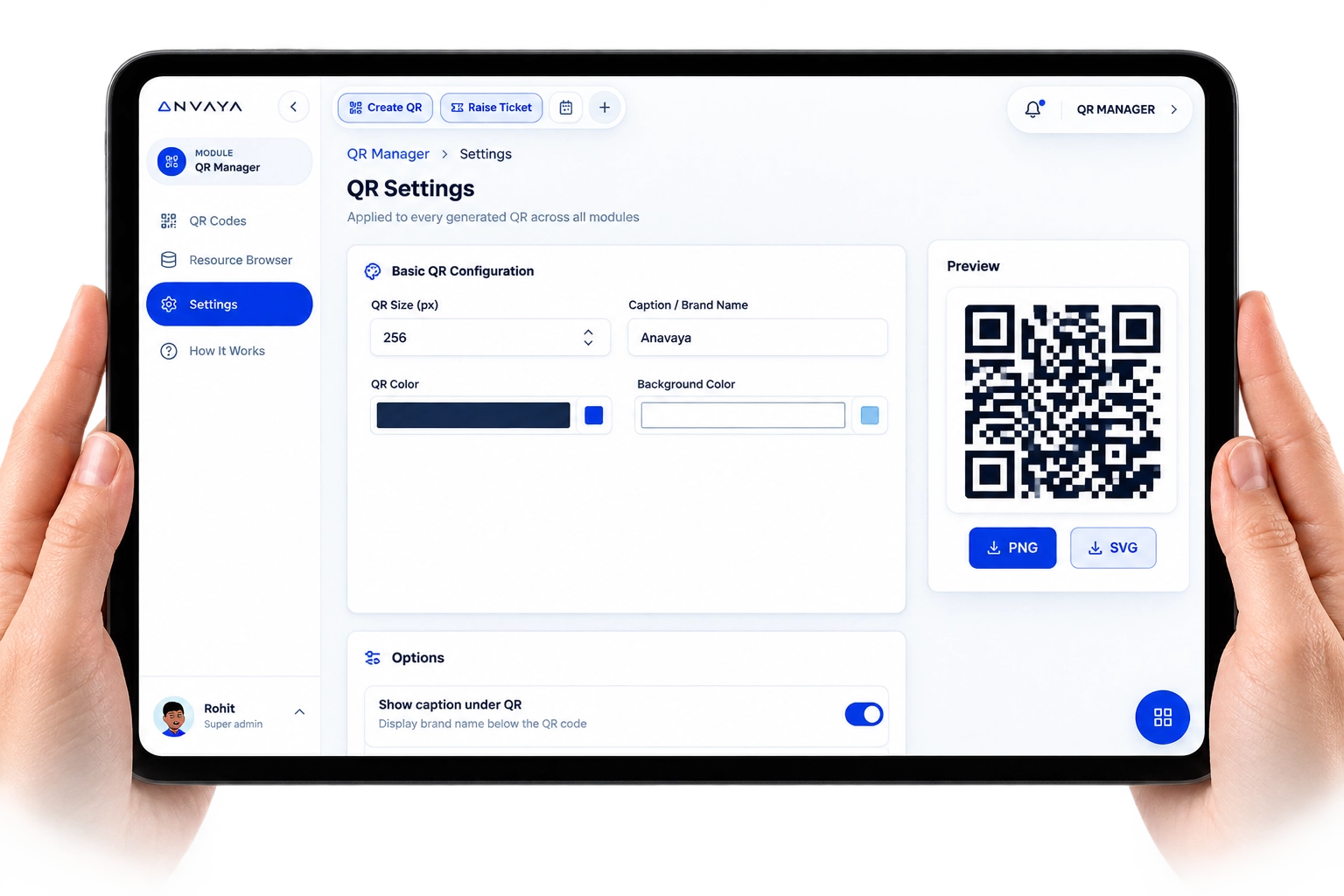
Customize every QR code with your own size, colors, branding, captions, and sharing preferences - while keeping every scan consistent across your business.
One Scan.
Endless Possibilities.
Create, manage, and track QR codes across every module, machine, document, and workflow - connecting the physical world to your digital operations instantly.
One QR. The Entire Order Journey.
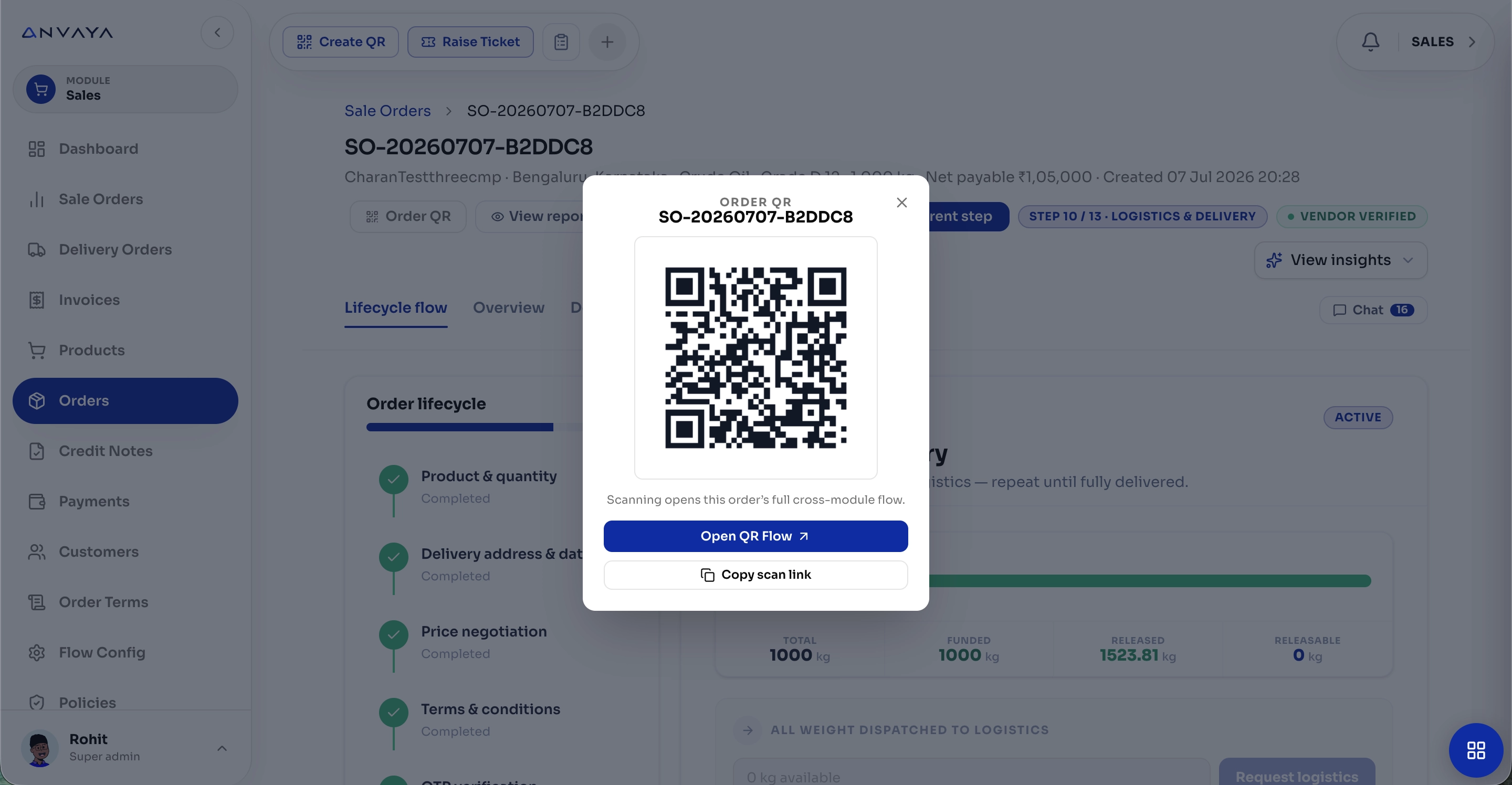
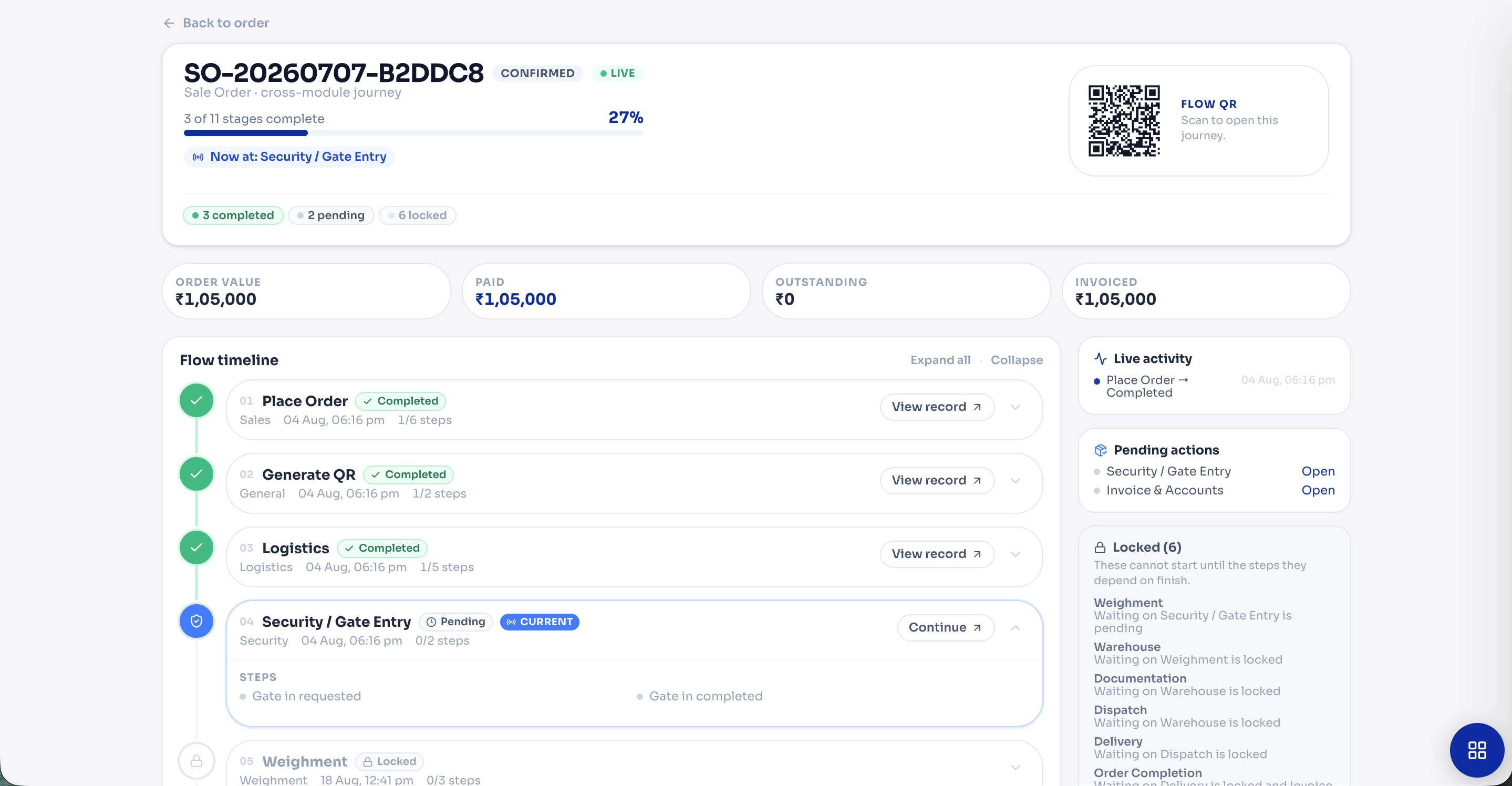
Scan once to instantly access the complete order flow - from product and negotiation to payment, logistics, delivery, and final completion.
One Scan.
Complete Visibility.
Open any order, record, or workflow instantly with a QR scan - see its current status, completed stages, pending actions, and complete history in one connected view.
Scan Once.
Share Everywhere.
Turn any product, document, or record into a QR-powered link that’s ready to share across your entire business.
Generate. Scan. Connect.
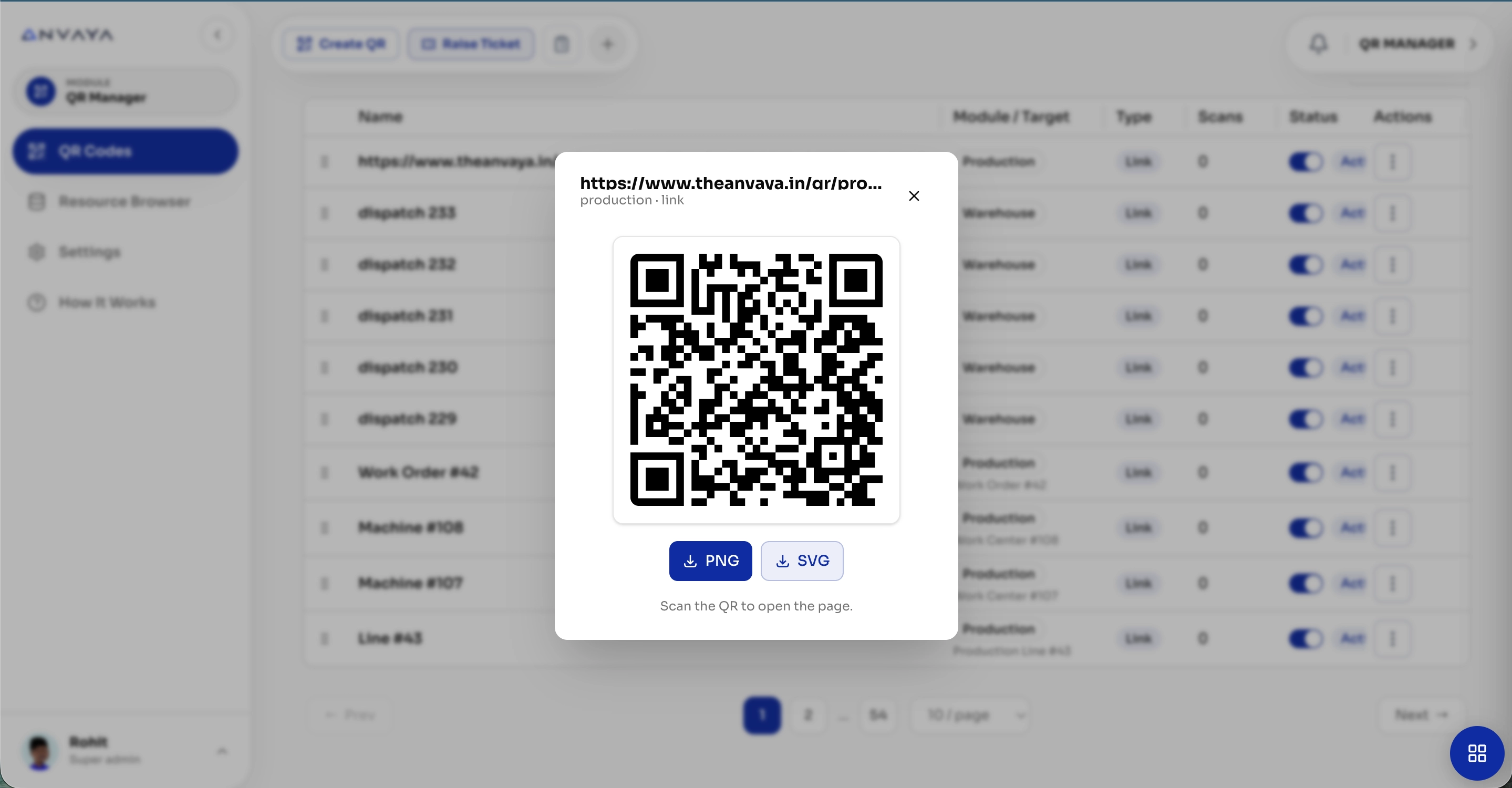
Create QR codes for any module, record, machine, or workflow - and instantly turn digital information into a scannable, shareable experience.
Every Record.
One Scan Away.
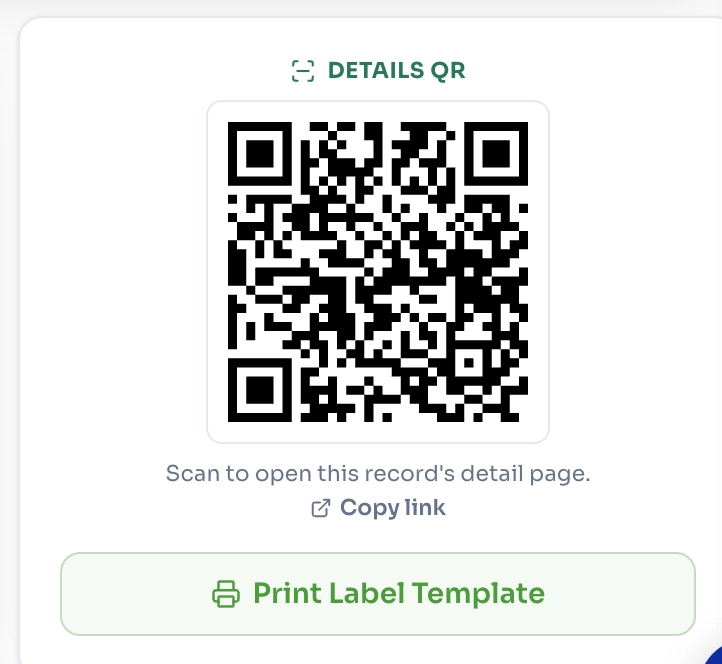
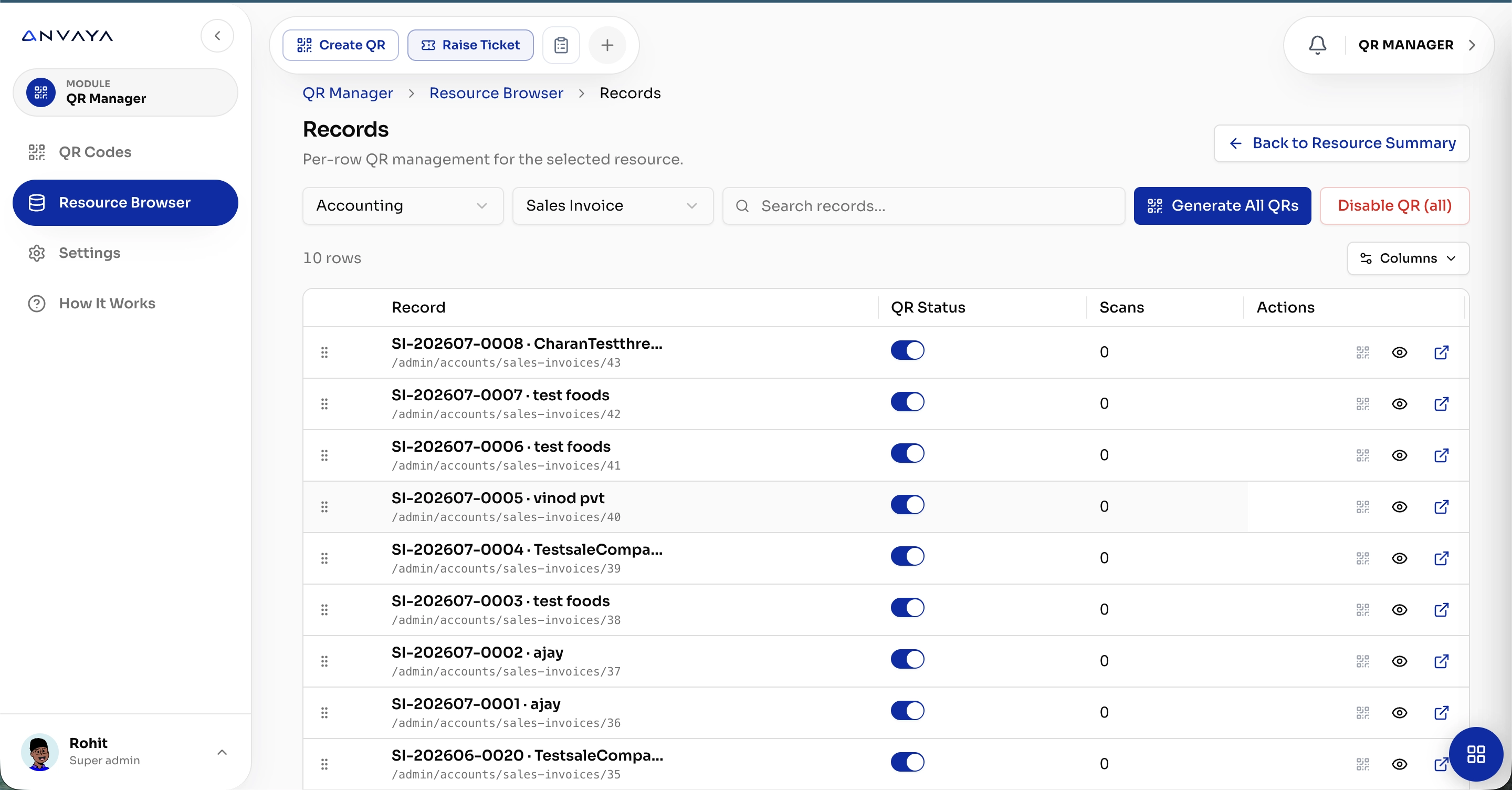
Generate and manage QR codes for individual records across every module - giving teams instant access to the right information, exactly when they need it.

Scan Comparison
From Manual Scan
to Intelligent
Facility Control
Problem 01
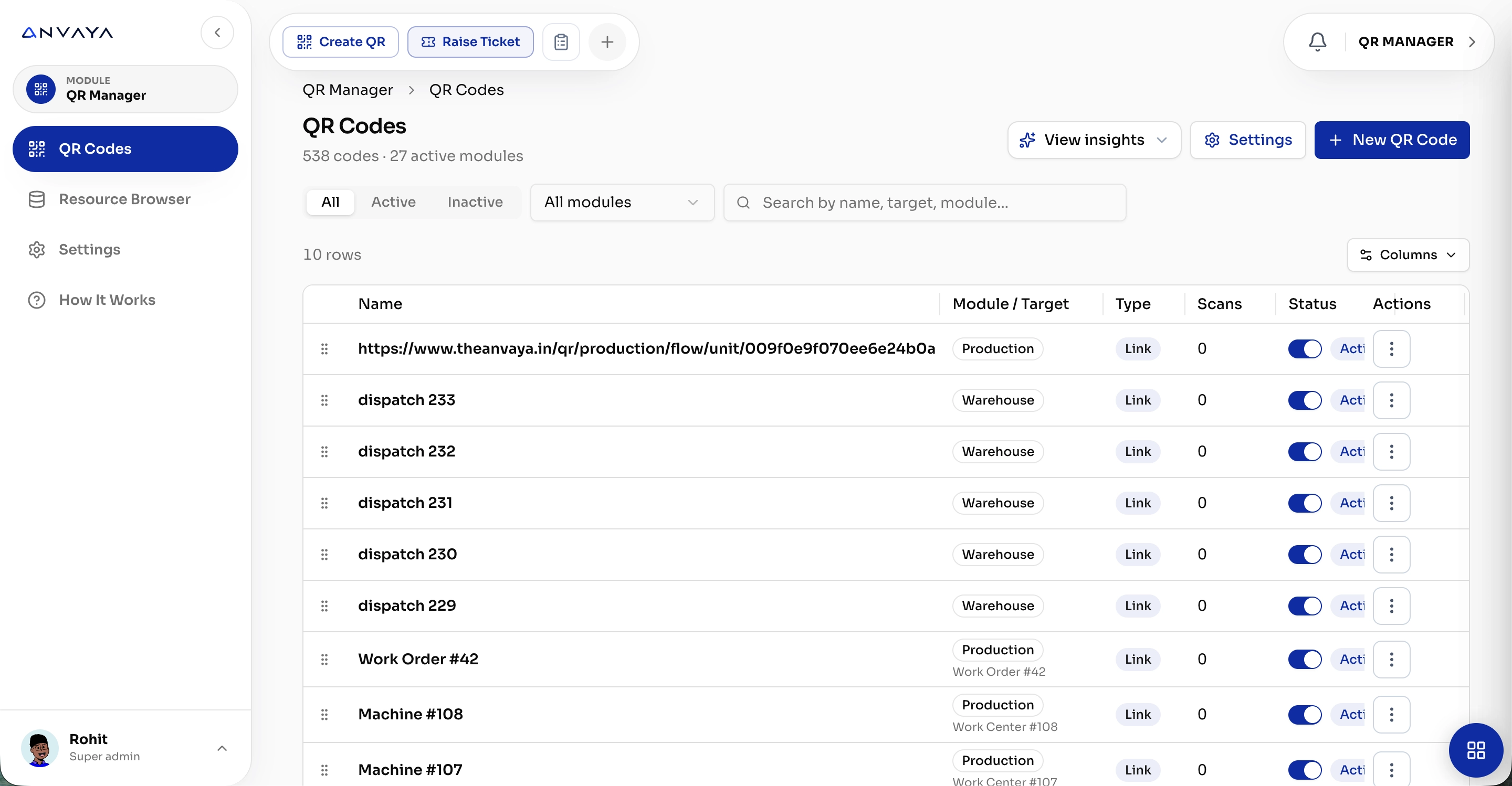
QR codes are created across different systems, modules, and records with no central management. Teams struggle to find, update, deactivate, or track the codes they've generated.
Problem 02
A QR code may open a link, but users often lack the right context, making it difficult to access the exact record, workflow, or information they need.
Solution 01
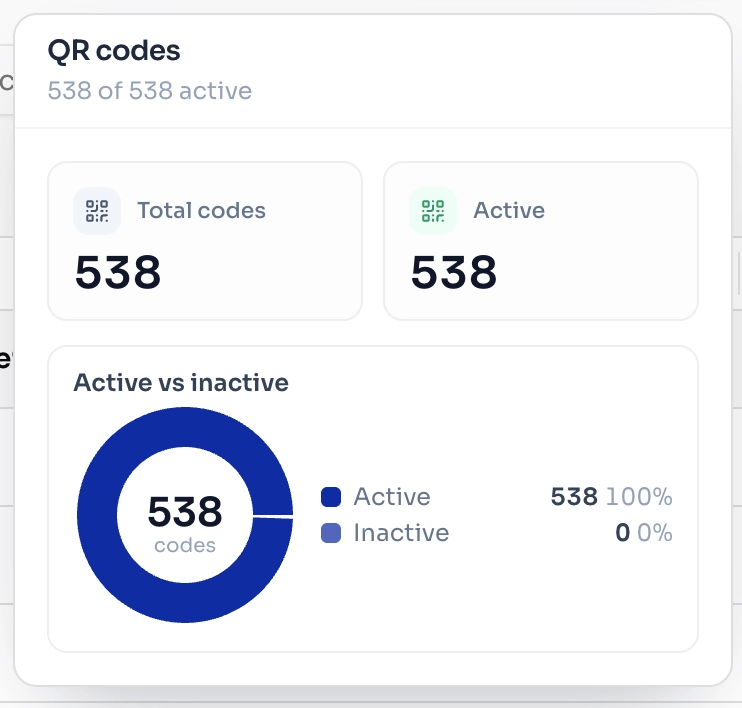
Manage every QR code from one platform. Generate, organize, activate, deactivate, and monitor scans across products, orders, machines, documents, and workflows.
Solution 02
Connect every QR directly to its digital record or workflow. One scan instantly opens the relevant information, status, actions, and history — turning physical touchpoints into connected digital experiences.

One Platform. One Business.

Scan

HR

Employee
Portal

Manage
Contractor

Manage User

Inventory

Warehouse

Logistics

Weigh Bridge

Quality

Manage Visitor


Which QR codes are being scanned
the most?
Show me inactive QR codes across
all modules.
Which records have never been
scanned?
Connect any AI provider through a custom API and bring AI intelligence directly into Scan. Run predictive risk analysis and get real-time scan insights.
Your Scan Data.
Your Rules.
Your AI.

What are the most active QR codes today?

Show unusual QR scan activity.

Summarize today's QR activity.
Frequently Asked Questions
Questions, answered
What can I create QR codes for?
QR codes can be created for products, orders, machines, documents, records, workflows, and resources across Anvaya.
Can I manage all QR codes from one place?
Yes. QR Manager provides a centralized view to create, search, activate, deactivate, and manage QR codes across modules.
Can each record have its own QR code?
Yes. Individual records can have unique QR codes that directly open the associated record or digital workflow.
Can I track QR scans?
Yes. QR Manager can track scan activity so you can understand which codes are being used and how frequently they are accessed.
Can I deactivate a QR code?
Yes. QR codes can be activated or deactivated whenever required, giving administrators control over which codes remain accessible.
Can I customize the QR code?
Yes. You can configure QR size, colors, branding, captions, and other QR preferences from the QR settings.
Can I download QR codes?
Yes. QR codes can be downloaded in formats such as PNG and SVG for printing, labels, documents, or digital sharing.
Can QR codes connect different Anvaya modules?
Yes. A QR code can connect physical items to digital records and workflows across modules such as Inventory, Production, Sales, Warehouse, Logistics, and more.
Can I share a QR code with external users?
Yes. QR-linked records can be shared through links or QR scans, depending on the access permissions configured for the resource.
Can QR codes be used for physical assets?
Yes. Assets, machines, equipment, inventory items, and other physical resources can be assigned QR codes for quick identification and access to their digital records.
One Security Platform. Complete Facility Visibility.
9:41
Scan It. Know It.
Move It.
Scan QR codes instantly to identify items, record movements, verify entries, and keep every transaction connected in real time.
Your Business Has More Than One QR Problem.
QR Is Not Just a Code.
It Is the Digital Gateway to Every Record, Workflow & Business Process.
One Scan. Endless Possibilities.
Create, manage, and track QR codes across every module, machine, document, and workflow - connecting the physical world to your digital operations instantly.
One QR. The Entire Order Journey.
Scan once to instantly access the complete order flow - from product and negotiation to payment, logistics, delivery, and final completion.
One Scan. Complete Visibility.
Open any order, record, or workflow instantly with a QR scan - see its current status, completed stages, pending actions, and complete history in one connected view.
Scan Once. Share Everywhere.
Turn any product, document, or record into a QR-powered link that's ready to share across your entire business.
Generate. Scan. Connect.
Create QR codes for any module, record, machine, or workflow - and instantly turn digital information into a scannable, shareable experience.
Your QR. Your Brand. Your Rules.
Customize every QR code with your own size, colors, branding, captions, and sharing preferences - while keeping every scan consistent across your business.
Every Record. One Scan Away.
Generate and manage QR codes for individual records across every module - giving teams instant access to the right information, exactly when they need it.
From Manual Scan
to Intelligent
Facility Control
Problem 01
QR codes are created across different systems, modules, and records with no central management. Teams struggle to find, update, deactivate, or track the codes they've generated.
Problem 02
A QR code may open a link, but users often lack the right context, making it difficult to access the exact record, workflow, or information they need.
Solution 01
Manage every QR code from one platform. Generate, organize, activate, deactivate, and monitor scans across products, orders, machines, documents, and workflows.
Solution 02
Connect every QR directly to its digital record or workflow. One scan instantly opens the relevant information, status, actions, and history — turning physical touchpoints into connected digital experiences.
One Platform. One Business.


Your Scan Data.
Your Rules.
Your AI.
Connect any AI provider through a custom API and bring AI intelligence directly into Scan. Run predictive risk analysis and get real-time scan insights.
Frequently Asked Questions
Questions, answered
QR codes can be created for products, orders, machines, documents, records, workflows, and resources across Anvaya.
Yes. QR Manager provides a centralized view to create, search, activate, deactivate, and manage QR codes across modules.
Yes. Individual records can have unique QR codes that directly open the associated record or digital workflow.
Yes. QR Manager can track scan activity so you can understand which codes are being used and how frequently they are accessed.
Yes. QR codes can be activated or deactivated whenever required, giving administrators control over which codes remain accessible.
Yes. You can configure QR size, colors, branding, captions, and other QR preferences from the QR settings.
Yes. QR codes can be downloaded in formats such as PNG and SVG for printing, labels, documents, or digital sharing.
Yes. A QR code can connect physical items to digital records and workflows across modules such as Inventory, Production, Sales, Warehouse, Logistics, and more.
Yes. QR-linked records can be shared through links or QR scans, depending on the access permissions configured for the resource.
Yes. Assets, machines, equipment, inventory items, and other physical resources can be assigned QR codes for quick identification and access to their digital records.

Operational software and unified enterprise backbones for physical industries. We build the systems that actually run real workflows.
© 2026 Anvaya. All rights reserved.
